Mentions from your episode
Extract mentions from podcast episodes with timestamps
Upload your episode. Get accurate resource mentions with timestamps — ready to paste into show notes or your YouTube description.
Trusted by podcasters from:




How it works
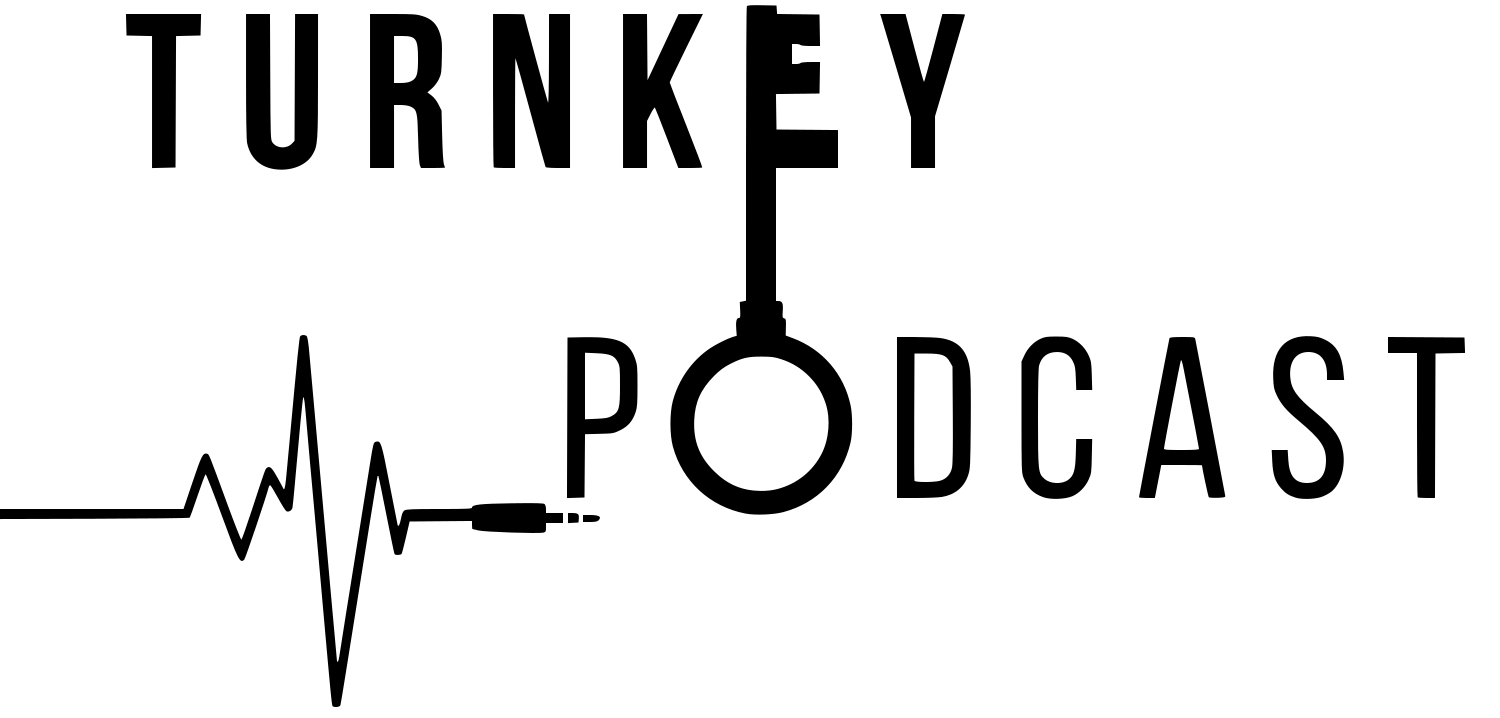
Transcript and mentions from one upload
Upload once. Extract resource mentions with timestamps without scrubbing the episode by hand.
- 1
Upload your episode
Drop an MP3, WAV, M4A, or video file from your recorder or editor.
- 2
Get the transcript
AI turns speech into searchable text so named people, tools, and resources are easier to find.
- 3
Extract mentions
Pull resource mentions with timestamps, plus an episode description and chapters.
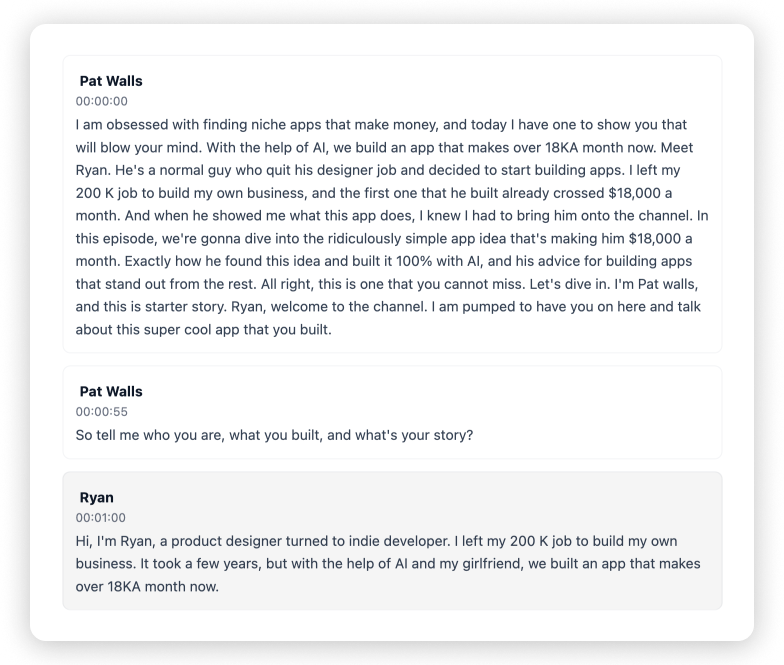
Transcription
A searchable transcript for every mention you publish
Confirm who said what, pull the surrounding quote, and check context before the mention list goes live.
- Full-episode text from audio or video
- Built for interviews and co-hosted shows
- Automatic speaker labels
Resource mentions
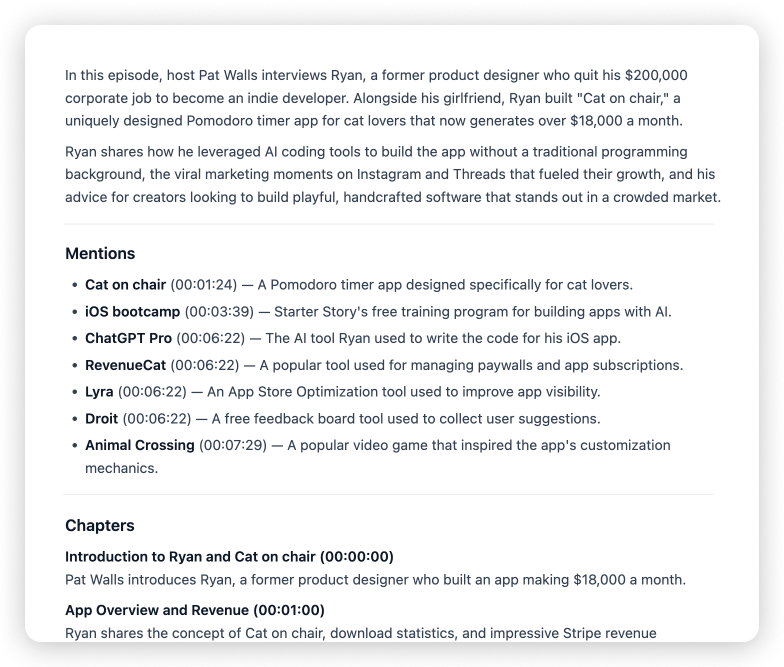
Extract mentions from podcast audio as a timestamped list
Show Notes Generator turns spoken resources into mentions with timestamps — alongside an episode description and chapters.
- Resource mentions with timestamps
- Episode description
- Chapters with timestamps
Who it's for
Publish mention lists without replaying the cut
Built for creators who name resources on air and need timestamped show notes that match the conversation.
Podcast hosts
Extract mentions with timestamps so listeners can jump to the book, tool, or site you recommended.
YouTube creators
Turn spoken mentions into description-ready notes with timestamps from the same episode upload.
Interview & talk shows
Capture guest recommendations and named resources as publish them with the episode.
Small teams & producers
Hand clients a first draft of mentions, description, and chapters while editing moves forward.
More podcasting tools
From the same team — edit audio, enhance voice, build a show site, and repurpose episodes.
Extract mentions from podcast
How do I extract mentions from podcast episodes?+
Upload the episode. You'll get resource mentions with timestamps — people, tools, and recommendations called out in the conversation — plus show notes and a transcript.
What kinds of mentions are included?+
Named resources and recommendations from the episode, listed with timestamps so you can verify and link them in your notes.
What file types are supported?+
MP3, WAV, and M4A for podcast audio, plus common video formats when you want dialogue turned into text.
Is extracting mentions from a podcast free?+
Yes. Show Notes Generator is free to use — upload your episode and get a transcript plus AI show notes without paying to start.
Extract mentions from your podcast with timestamps
Upload your latest episode and get resource mentions, transcript, and show notes in one place.
Start free- Transcript + show notes
- No install
- Built for podcasters
Related features: