Free MP3 transcription
MP3 to text converter for clear, searchable transcripts
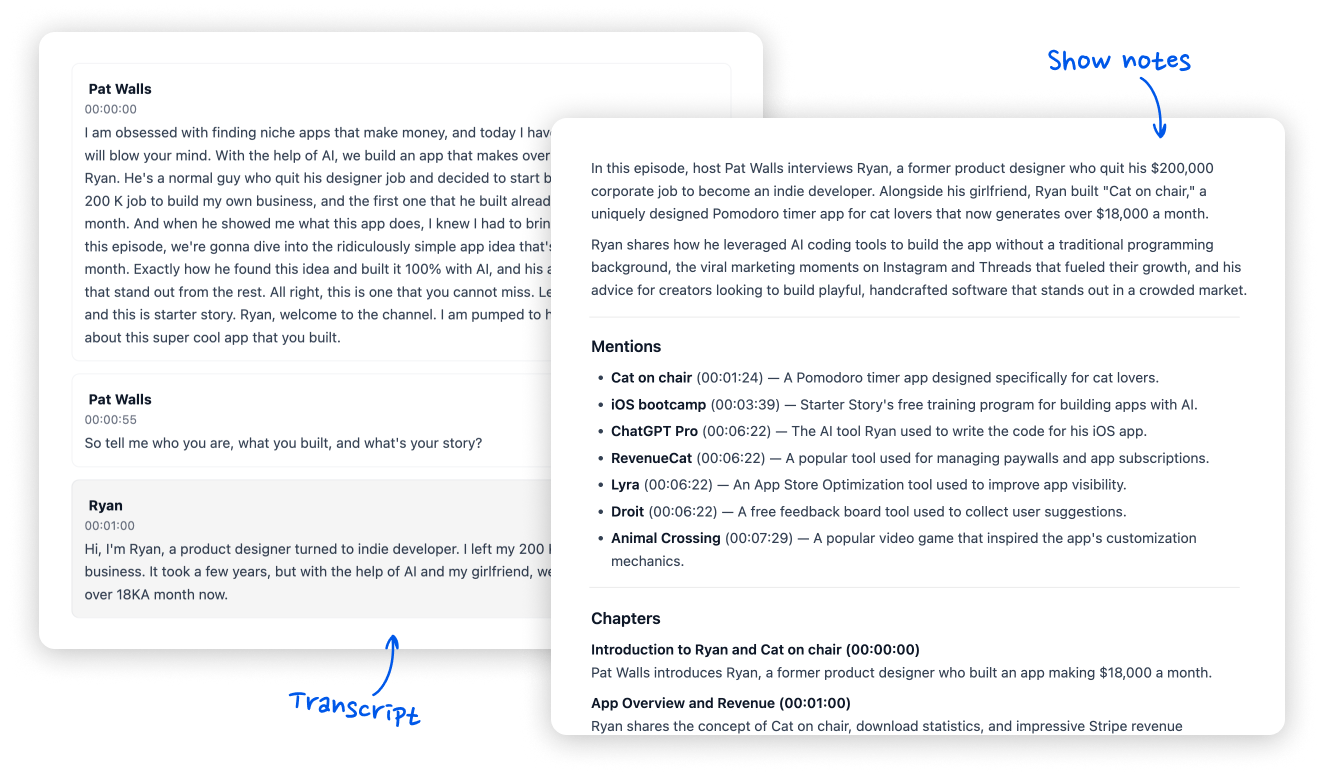
Upload your MP3. Get an accurate transcript and AI show notes you can paste into your host, YouTube, or website.
Trusted by podcasters from:

How it works
Transcript and show notes from one upload
Upload once. Convert your MP3 to text, then publish-ready notes without rewriting the episode by hand.
- 1
Upload your MP3
Drop an MP3 from your recorder or editor — WAV and M4A work too when you need them.
- 2
Convert MP3 to text
AI turns speech into readable text you can search, quote, and reuse.
- 3
Generate show notes
Get an accurate episode description, resource mentions with timestamps, and chapters.
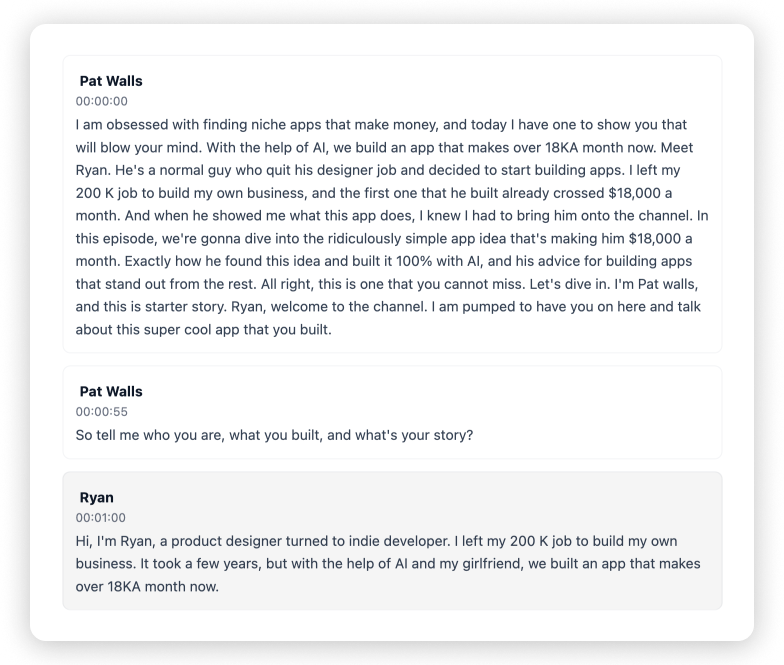
Transcription
Accurate MP3-to-text transcripts you can reuse
Search the conversation, pull quotes, and meet accessibility goals without re-listening to the full file.
- Full-episode text from MP3 audio
- Built for interviews and co-hosted shows
- Automatic speaker labels
Show notes
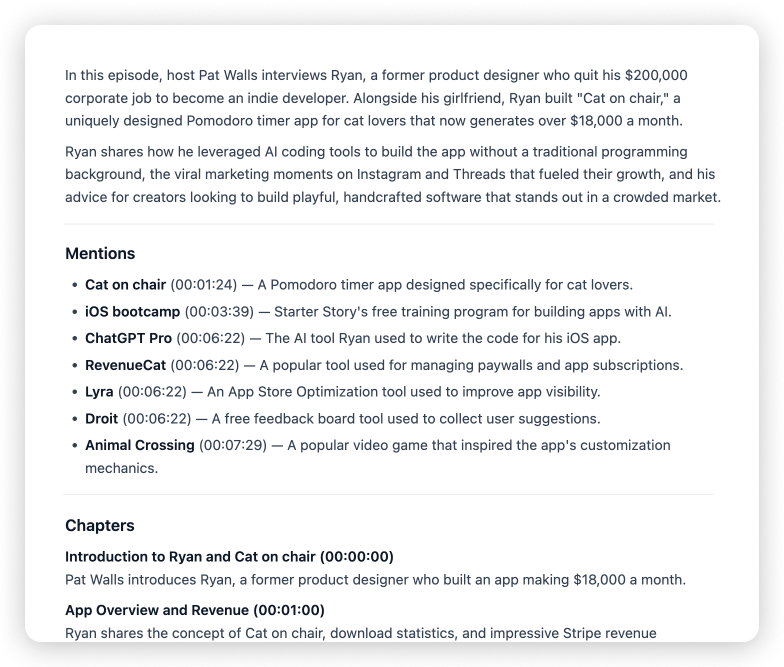
Accurate show notes ready to publish
Turn your MP3-to-text transcript into publish-ready show notes — an episode description, resource mentions, and chapters with timestamps.
- Episode description
- Resource mentions with timestamps
- Chapters with timestamps
Who it's for
Publish podcasts and YouTube videos faster
Built for creators who want rich show notes and descriptions without spending hours writing them by hand.
Podcast hosts
Drop the finished MP3, get a transcript and show notes, and ship without delaying publish day for writing.
YouTube creators
Convert episode audio exports to text, then build clear descriptions, timestamps, and takeaways for your video.
Interview & talk shows
Capture guest quotes and key moments as notes your audience can skim.
Small teams & producers
Hand clients or co-hosts a first draft of notes and descriptions while you move on to the next episode.
More podcasting tools
From the same team — edit audio, enhance voice, build a show site, and repurpose episodes.
MP3 to text converter
Can I convert an MP3 to text with this tool?+
Yes. Upload your MP3 and the MP3 to text converter produces a full transcript — plus AI show notes from the same upload.
How accurate is the MP3 to text converter?+
Clear MP3s with distinct speech convert best. Loud music or overlapping hosts can reduce accuracy.
Can I upload formats other than MP3?+
Yes — WAV, M4A, and many video files work too if you have them instead of MP3.
Is the MP3 to text converter free?+
Yes. Show Notes Generator is free to use — upload your episode and get a transcript plus AI show notes without paying to start.
Convert your MP3 to text and get show notes
Upload your latest MP3 and get transcript plus notes in one place.
Start free- Transcript + show notes
- No install
- Built for podcasters